How do you program robot components?
To program motors, sensors, joysticks and other components, you must first create an object. To create an object you need:
- The class of the object
- The package the class is in
- The parameters needed to create the object
- to assign the object to a variable inside the createObjects function in robot.py
import magicbot
import package

class MyRobot(magicbot.MagicRobot):

  def createObjects(self):
    # This creates an object of type Class and assigns it to self.object
    self.object = package.Class(param1, param2, ...)
For example, to create a motor you need to use the wpi_talonsrx.WPI_TalonSRX class in the ctre library:
import magicbot
import ctre

class MyRobot(magicbot.MagicRobot):

  def createObjects(self):
    # The TalonSRX class requires a device number. The device # of this motor is 0
   self.motor = ctre.wpi_talonsrx.WPI_talonSRX(0)
Information on component classes can be found in the documentation:
- wpilib package (most of the classes you need are found here)
- wpilib.drive package (Tank drive, arcade drive, mecanum drive, etc)
- ctre package (Contains the TalonSRX class we need to program motors)
Here is the documentation for the TalonSRX class: http://robotpy.readthedocs.io/projects/ctre/en/latest/api.html#module-ctre.wpi_talonsrx
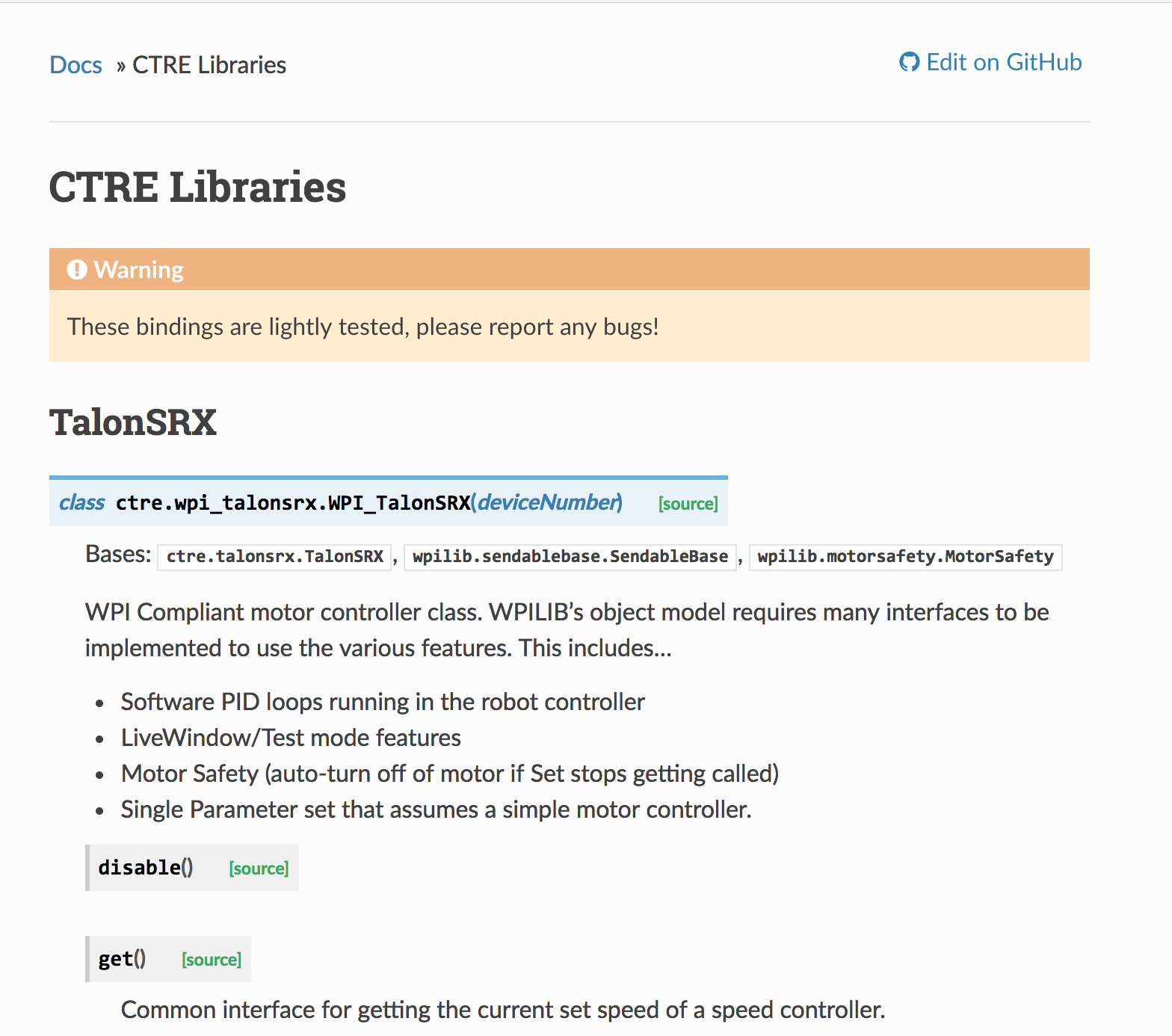
Notice the class name here:
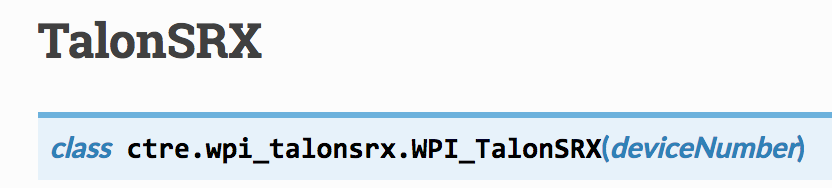
In addition to telling you the class name, it also tells you the parameters it needs. In this case it only needs a device number. Some classes however have different options for parameters and addtional details if it isn’t obvious what the parameters are for. The PIDController class is one example: http://robotpy.readthedocs.io/projects/wpilib/en/latest/wpilib/PIDController.html
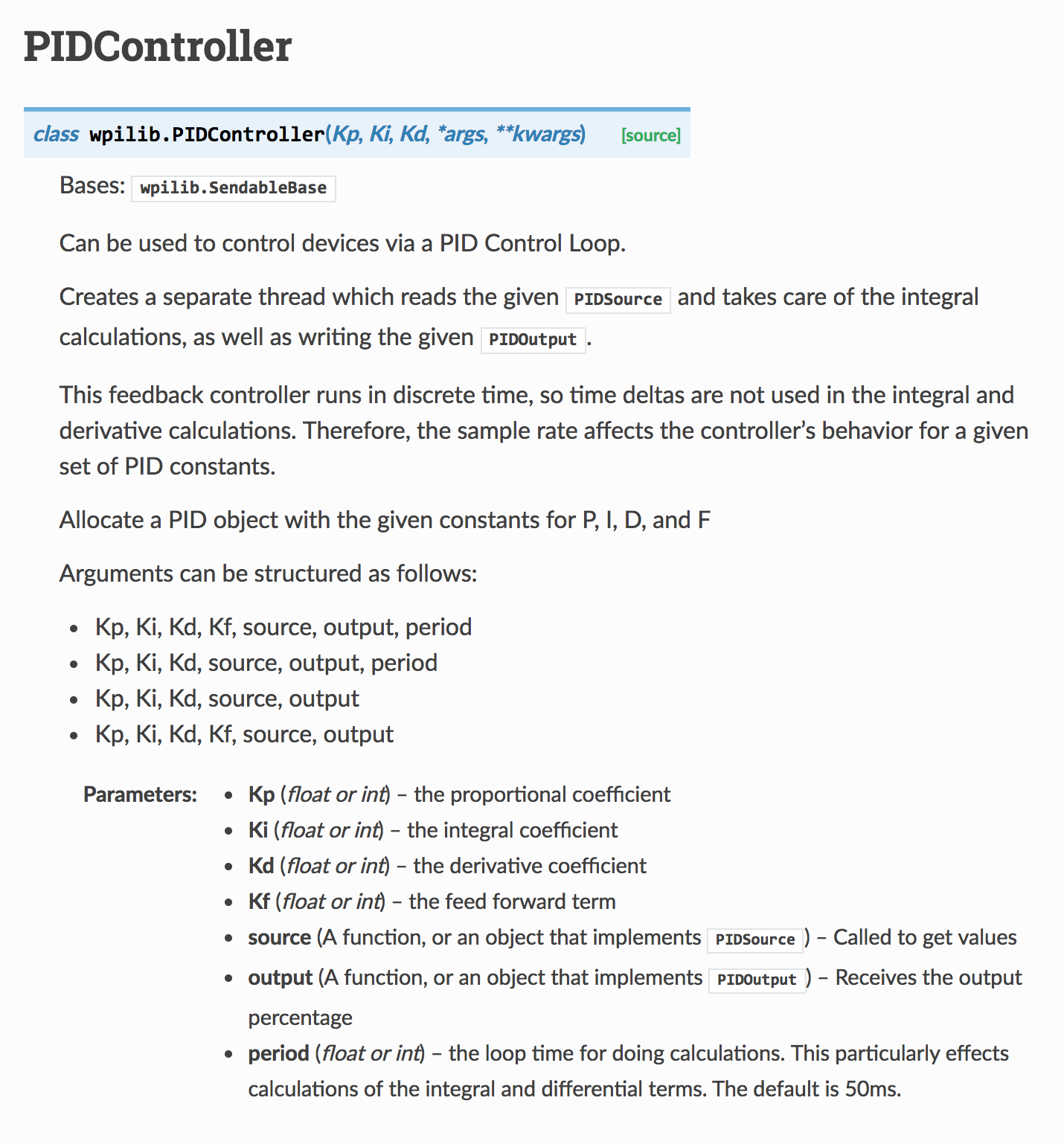
Notice how the end of the parameter list in the class says args, **kwargs?
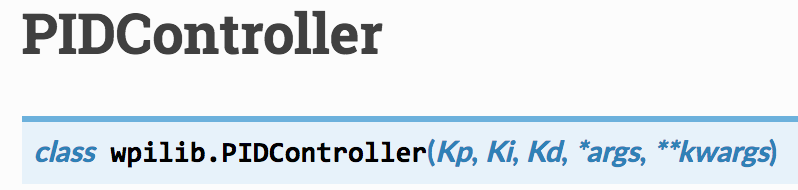
This basically means that there are different options for what you can put after the first 3 parameters Kp, Ki and Kd
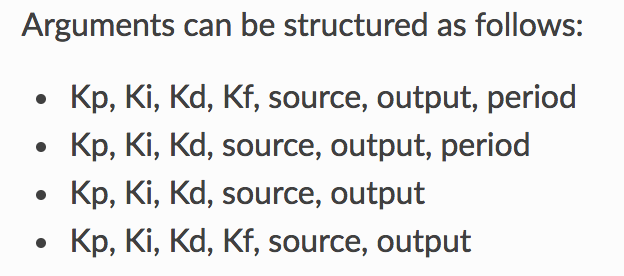
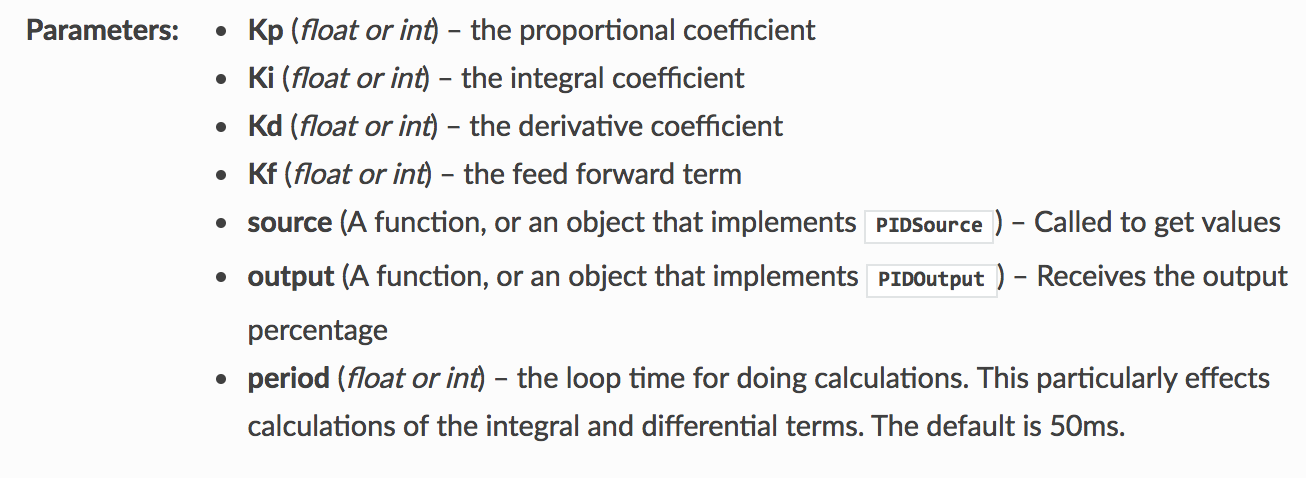
A description for each parameters can be found below that: