Setting Up Python and PyCharm
We’ll be using the python language and the PyCharm editor/IDE to write our robot code.
Download Python
If you don’t have it already, download python 3.6 here: https://www.python.org/downloads/
Downloading and setting up PyCharm
Download the free community edition of PyCharm here: https://www.jetbrains.com/pycharm/download
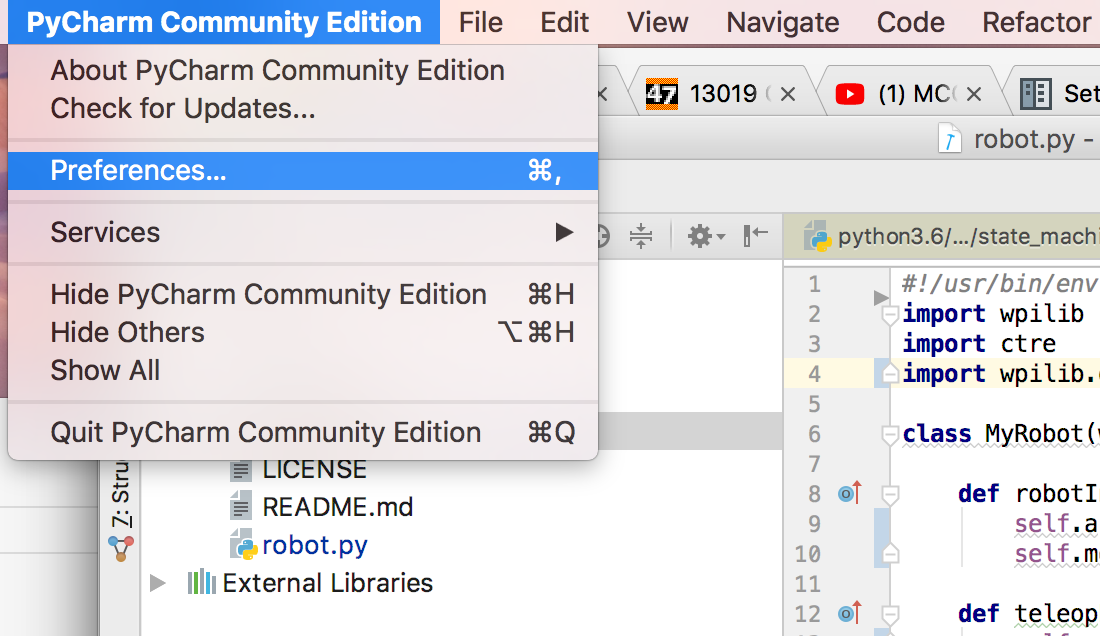
When PyCharm is downloaded and installed, you need to configure it to use the version of python you installed. Go to PyCharm Community Edtion > Preferences… and go to Project: [project name] > Project Interpreter:
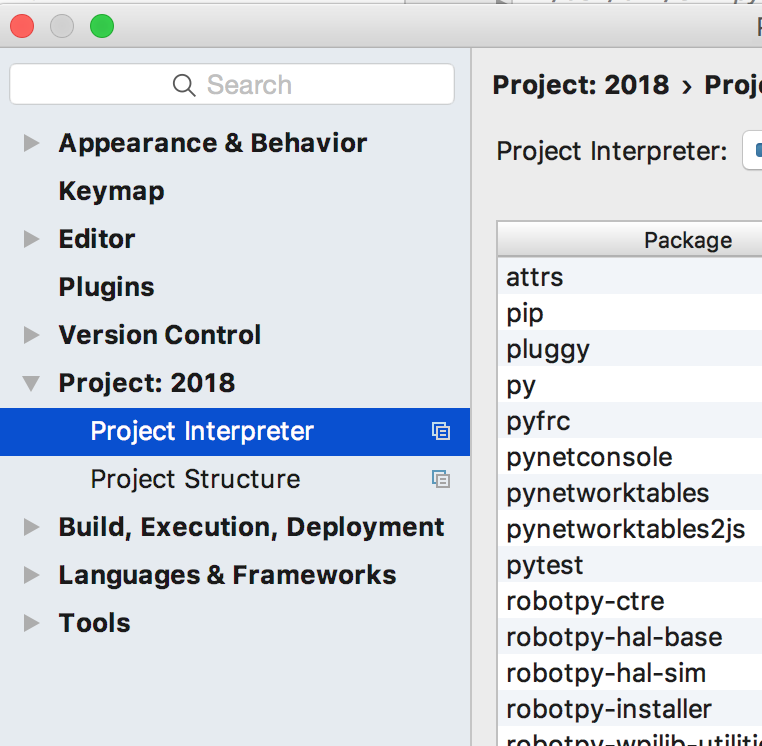
Then click the button to the right of the dropdown and click add local:
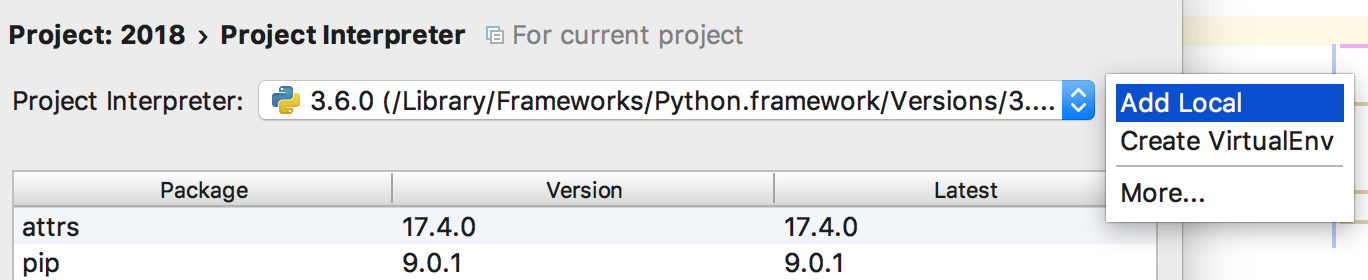
Locate python 3.6 and add it.