Getting Started
In the 2018 repo, pull the latest code from github:
$ git pull
You should see a new folder in your project called ui_practice. Open the tutorial.html file located in the /ui_tutorial/www/ folder. This will be the main file you’ll be editing in this tutorial:
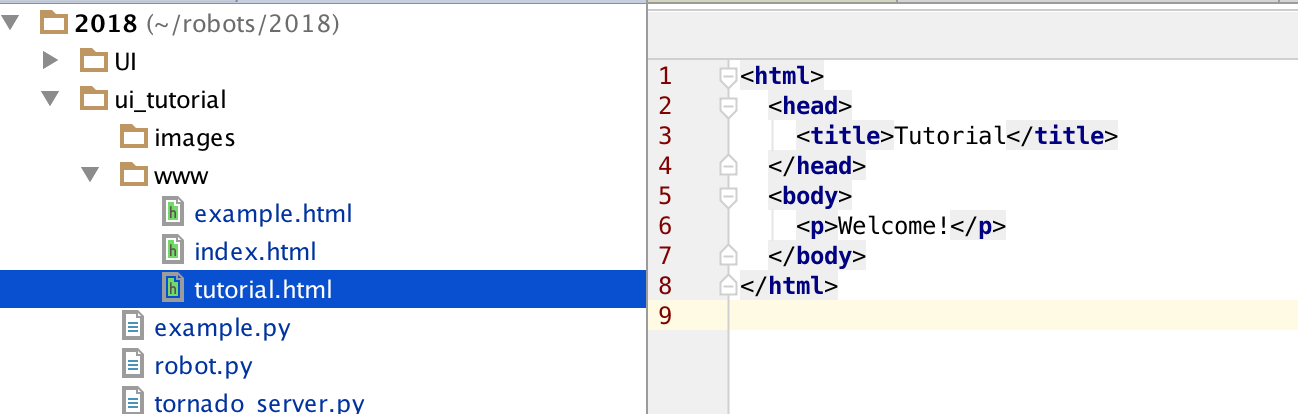
Next change to the /ui_tutorial/ directory in the terminal and run the server that will host the web interface that you’ll be creating:
$ python3 tornado_server.py
Notice the text the server prints in the terminal:

One of these lines should have the address of the web page. Copy this, paste it into your browser, and add tutorial.html to the end of the url. The url should look something like this: http://localhost:8888/tutorial.html
Enter the url into the address bar and you should see the web page!

Edit the Welcome! message between the <p></p> in the tutorial.html file and save:
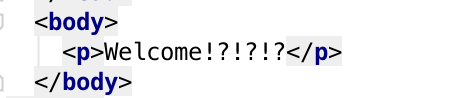
Refresh your browser and you should see the web page has changed too! We will be modifying this file and refreshing the browser to see changes we made throughout this tutorial.