Networktables
NetworkTables resource
http://robotpy.readthedocs.io/projects/pynetworktables/en/latest/api.html http://robotpy.readthedocs.io/projects/pynetworktables2js/en/stable/
Install NetworkTables
Type these commands in the terminal:
$ pip3 install pynetworktables
$ pip3 install pynetworktables2js
What is NetworkTables?
Networktables allows communication between our robot, web interface, and other devices.
NetworkTables on the robot
To use NetworkTables on the robot we must import it just like we do with wpilib:
from networktables import NetworkTables
Next we have to create a table. We put things in the table if we want to send things to other devices, and we get things from the table that are sent from other devices:
table = NetworkTables.getTable("robot")
To get something from the table we’d say
number_variable = table.getNumber('some_number')
boolean_variable = table.getBoolean('some_boolean')
string_variable = table.getString('some_string')
If we want to put something in the table we’d say:
table.putNumber('some_number', 10)
table.putBoolean('some_boolean', True)
table.putString('some_string', 'Some string')
NetworkTables on a webpage
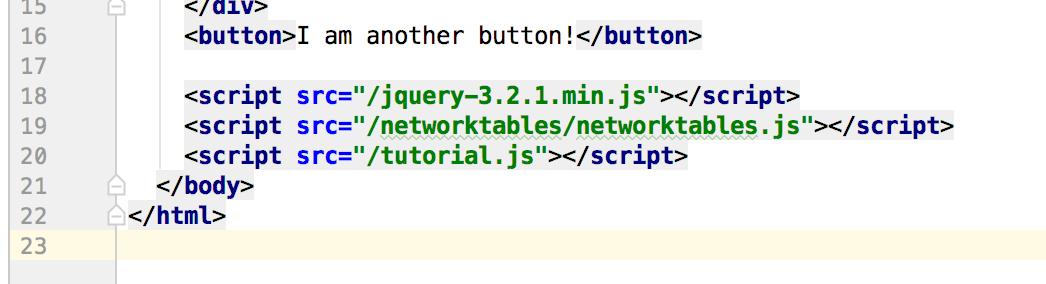
Add this script tag to your html page before the tutorial.js include:
<script src="/networktables/networktables.js"></script>
Getting and putting values in the NetworkTables is a bit different in Javascript. You do not create a table but type in:
NetworkTables.putValue('/table name/key', value);
NetworkTables.getValue('/table name/key', default_value);
To listen to changes in the table:
NetworkTables.addGlobalListener(function(key, value, isNew){
    // do something with the values as they change
}, true);

NetworkTables.addKeyListener(key, function(value, isNew){
    // do something with the values as they change
}, true);